 TROMIN
Training load, live, from one receiver.
Wearable tags and a single courtside receiver track up to 20 athletes at 50 Hz. Built for basketball and volleyball.
How it works
Wear
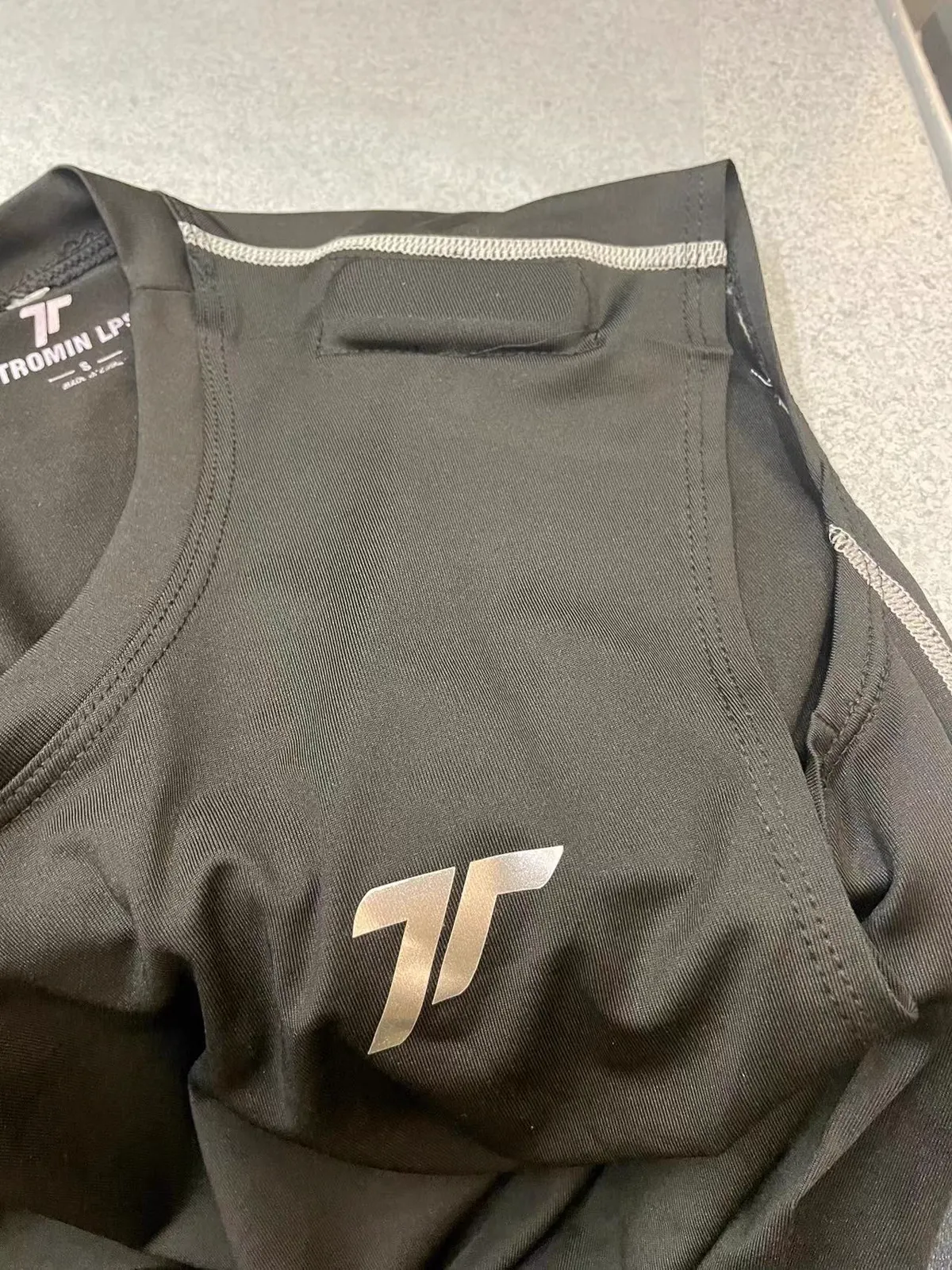
Each athlete wears a small tag — UWB radio plus 9-axis motion sensor — in a vest between the shoulder blades.
Receive
One receiver on a tripod beside the court collects every tag 50 times a second.
Act
The Track2go app on a Windows laptop turns it into live cues and reports. No cloud.
One set of data, two ways to read it
Set per team, switchable any time.
Who needs what, right now
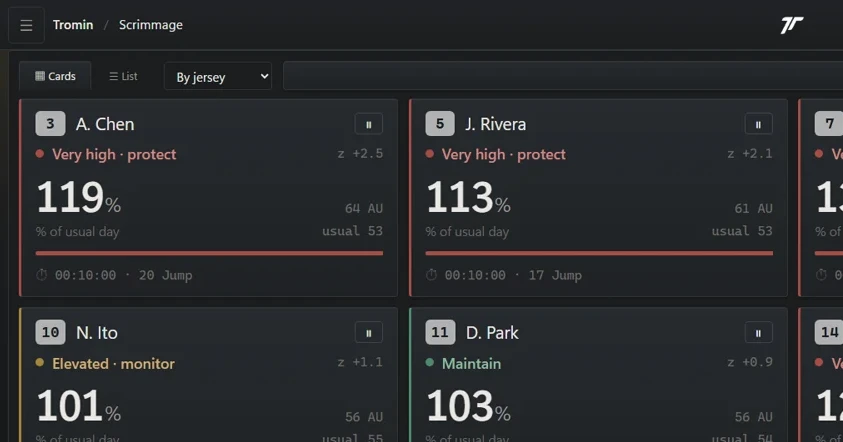
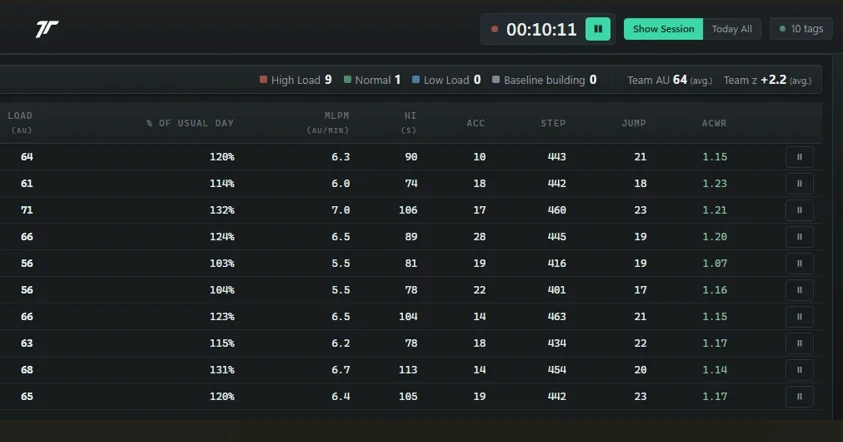
Team dashboard
Load, intensity and jumps for every athlete, updating as they train.
Status cues
Six states, from Build baseline to Very high · protect, each compared with the athlete’s usual day.
Game mode
Periods, substitutions, and bench time removed from playing load.
Tag swaps
Replace a flat or faulty tag mid-session without losing data.
Battery & signal
Per-athlete battery and signal, so you know before a tag drops.
Every jump
Count, height and landing impact, jump by jump.
From one session to a whole season
- Load matrix — Days × athletes, coloured against each athlete’s own history.
- Volume · Intensity · Overall — How much work, how hard, and both combined — as % of the usual day.
- ACWR — Acute:chronic workload ratio after 28 days of data.
- Player page — Trends, session history and jump-by-jump detail.
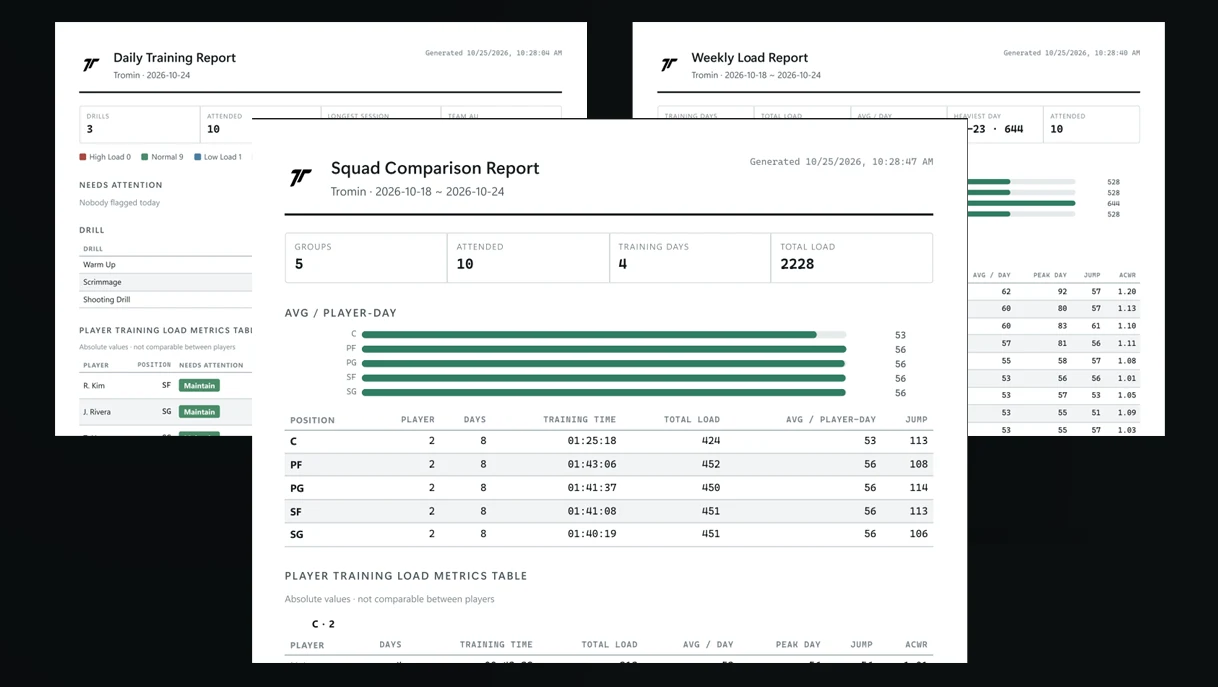
- PDF reports — Daily, Player, Weekly, Squad and Season — ready to print or send.
- CSV export — Every metric, for your own analysis.
What Track2go measures
Each metric is listed with its validation scope and limits — see Sports for details by sport.
Accumulated accelerometer load — the same family of metric as PlayerLoad.
Load per active minute.
Time actually working; bench time excluded in game mode.
Count, height and landing impact for every jump.
Hard accelerations and decelerations combined.
Running steps.
Median error about 4% per athlete per session.
Estimated · basketballWeek-to-month workload balance.
Track2go measures movement, not position. For x/y, speed and measured distance, see Goalgo.
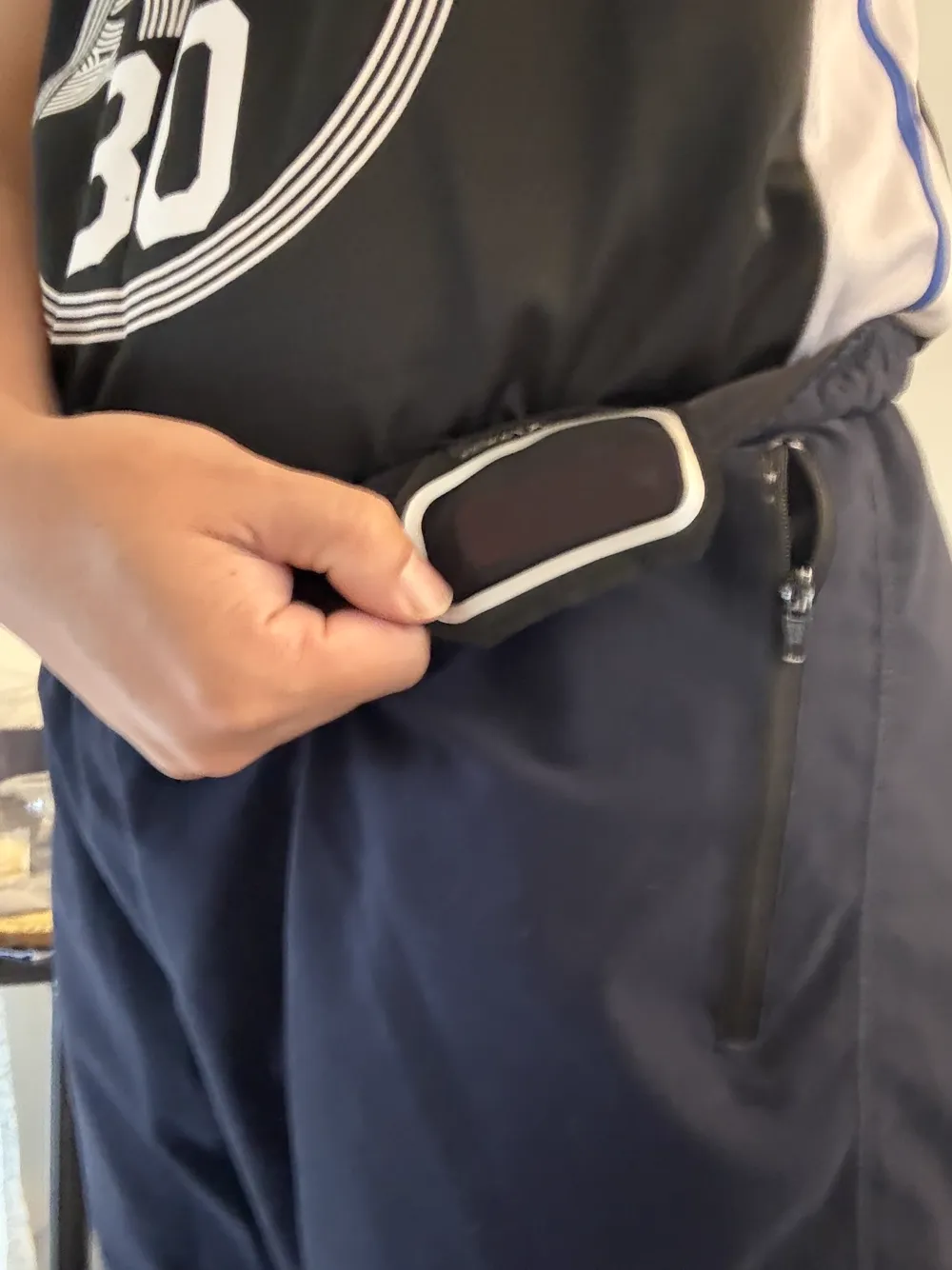
Worn on the shoulder or the waist
| Tags | UWB + 9-axis IMU, 50 Hz, rechargeable |
|---|---|
| Wear | Shoulder vest pocket, or waist belt (front or back) — set per team |
| Receiver | One unit on a tripod with built-in router |
| Capacity | Up to 20 tags per system at 50 Hz |
| Case | Carry case with charging dock for all tags |
| Raw data | 50 Hz acceleration (body & earth frame), roll / pitch / yaw |
| Upgrade | The same tags work with Goalgo positioning |
Built for away games and teams abroad
Track2go goes where your team goes — any gym, any country — without depending on the venue or on us being there.
One case
Tags, receiver and charging dock travel together in a single carry case.
No venue setup
No installation, no venue Wi-Fi, no internet. The receiver brings its own network.
Four languages
The app runs in English, Traditional Chinese, Japanese and Spanish.
Self-service setup
A built-in connection check walks staff through setup and pinpoints what to fix.